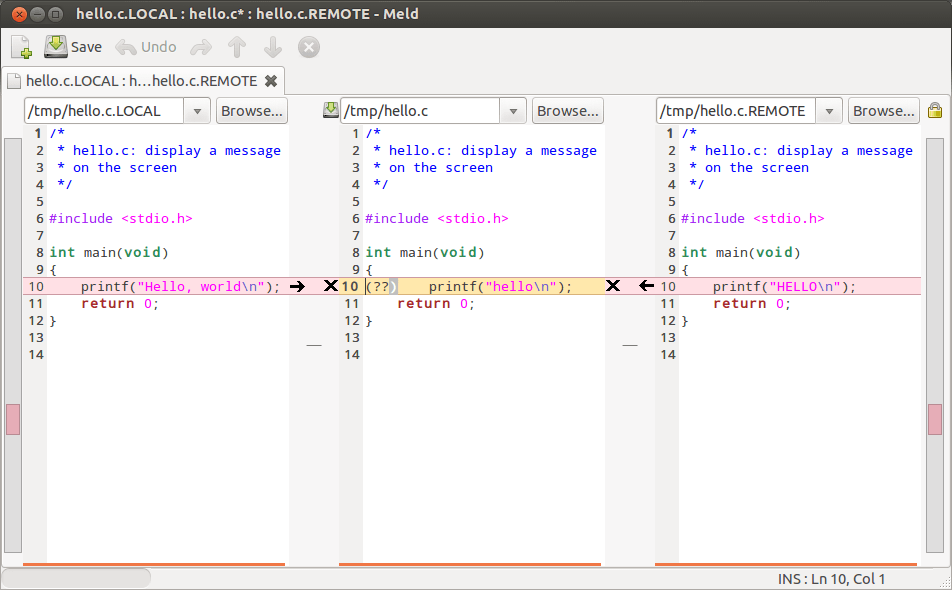
Here’s a quick way of configuring your (Linux-based) Git installation to use the excellent Meld program by default for displaying/editing the outputs of the git diff and git merge commands (e.g. git diff «filename»).


Install Meld
…if you haven’t already (note that we assume Git to be present):
# on Debian-based distros (ymmv)
sudo apt-get install meld
Viewing/editing file diffs via Meld
Configure Git to use Meld as the default tool for git diff:
git config --global diff.tool meld
git config --global difftool.prompt false
Now, rather than the classic git diff, simply use:
git difftool
Resolving merge conflicts via Meld
Basically do the same for the git mergetool command:
git config --global merge.tool meld
git config --global mergetool.prompt false
And then, instead of git merge, simply use:
git mergetool
…in the conflicting areas of your Git project.
Full directory comparison
Git supports full directory comparison via the following command:
git diff --no-index «folder-inside-git-project» «folder-to-compare-against»
While both useful and powerful, this command can be quite difficult to use, especially is you have a large tree structure. However, it just so happens that this is another aspect where Meld shines. Just run:
meld «folder A» «folder B»
And you will be able to visualize and edit the entire set off differences of both folder structures (including files).
Enjoy!
Notes:
- The
*tool.prompt falsebits are needed to prevent the prompting of the user on each command invocation (which is the default behaviour). - The full directory comparison mode supported by Meld is obviously available for any folders, not just those inside Git projects.
- I’m using Ubuntu 12.10, your setup may require different configuration options (although if you have a decently recent Git you should be fine).